January 21, 2026No Comments

On the Importance of Stress Testing — Bringing Clarity and Reducing Blockers for almalinux-deploy

Let me first talk about what inspired me to go through all of this testing in the first place: at the time, I had Red Hat Enterprise Linux 10 Developer Edition registered on my personal office PC (for RHCSA prep) and another on my theater machine alongside Ubuntu for my ZFS setup. I want to make it clear that I still believe RHEL is a great option for medium to large enterprises requiring robust technical support and maintenance. This is in no way an advertisement for everyone to migrate from RHEL or Oracle to AlmaLinux. However, the further I got into utilizing RHEL across my systems, the more I became “homesick” for the flexibility and easy access to the community that makes AlmaLinux the choice for my use cases.

Flexible file systems that allow for snapshots and easy rollbacks are essential for me. RHEL offers Stratis, but I believe it is in no way at the same level of maturity as ZFS or Btrfs. Throughout my life with Linux, I have made countless rookie mistakes that consistently required me to reinstall my system from scratch on traditional file systems. Btrfs or ZFS are great ways to prevent these kinds of issues from happening. Managing RHEL developer subscriptions also started to become an unnecessary hassle. So I used the almalinux-deploy script to migrate my RHEL 10 installs to AlmaLinux, which led to a rabbit hole of edge cases that were addressed through my contributions to the project.

Testing approach. Enterprise customers, unlike hobbyists such as myself, have specific processes that need to meet company policy. A simple process that works for an individual can break entire workflows, possibly costing a company millions in damages and tarnishing the reputations of the administrators involved. Before having any inclination to contribute, my first assumption was to test my proposed changes across multiple versions of RHEL, Oracle, and Rocky in virtual machines. My tests proved such contributions were necessary for IT professionals discussing system migrations with stakeholders from other Enterprise Linux distributions to AlmaLinux.

The following issues were discovered, along with their solutions:

Script failed on RHEL 10. The migration script consistently failed on RHEL 10 because the command used to deactivate RHEL was not compatible. Together with developer Yurik Kohut, we devised a solution that preserves the existing behavior for RHEL 8 and 9 while running a different process on 10. We cannot assume enterprises won’t decide to switch providers on a new version of Enterprise Linux.

GitHub pull request

Script stopped with a bootloader error. While the migration itself was successful after reboot, the script ended with a bootloader error due to a path that could not be found. This issue was also escalated to Oracle, as it is related to the GRUB package for both systems. On the AlmaLinux end, a new solution was merged that removes /root from the kernel path if EL10 is using the Btrfs file system and /boot is not a Btrfs subvolume. While I can’t assume how many enterprises utilize this kind of partitioning scheme, there are some out there, and this gap is now closed.

GitHub Bug Report, GitHub Pull Request

Lack of information about Btrfs compatibility. To increase confidence in the almalinux-deploy script, IT administrators need to know upfront that migration from Oracle Linux 8 and 9 with Btrfs is not possible. Adding this explicit detail to the README saves administrators from downloading the script only to find out at the moment of execution that migration cannot proceed in their environment. Btrfs support is now explicitly mentioned for Oracle Linux 10 with its custom kernel only.

EL10 is now listed as supported. The README has been updated to reflect compatibility with newer Enterprise Linux versions.

GitHub almalinux-deploy README

Results. With all issues solved through collaboration, we addressed critical gaps in support and edge cases that can prevent enterprises from considering a migration to AlmaLinux. Thinking within enterprise systems requires a broad range of established and experimental infrastructure to ensure proposed changes are justified, rather than based solely on personal experience.

January 1, 2026No Comments

Securing Windows 11 VM with Tor + VPN within Ubuntu Linux

Why Windows 11? Let me start by stating an opinion few people expect from an avid Linux user: I actually like Windows 11 as a desktop operating system.

While I have several issues with the OS, it also includes genuinely strong features such as File Explorer tabs, Focus Sessions, and Snap Layouts. These are areas where Linux desktop environments could reasonably take inspiration. This does not mean I am replacing my Linux desktops with Windows, but I am willing to acknowledge when a competing platform gets things right.

Additionally, as much as I value Linux and the open-source movement, many businesses still rely entirely on Microsoft-based infrastructure. It would be unrealistic to suggest a near future in which most home office systems run Linux instead of Windows.

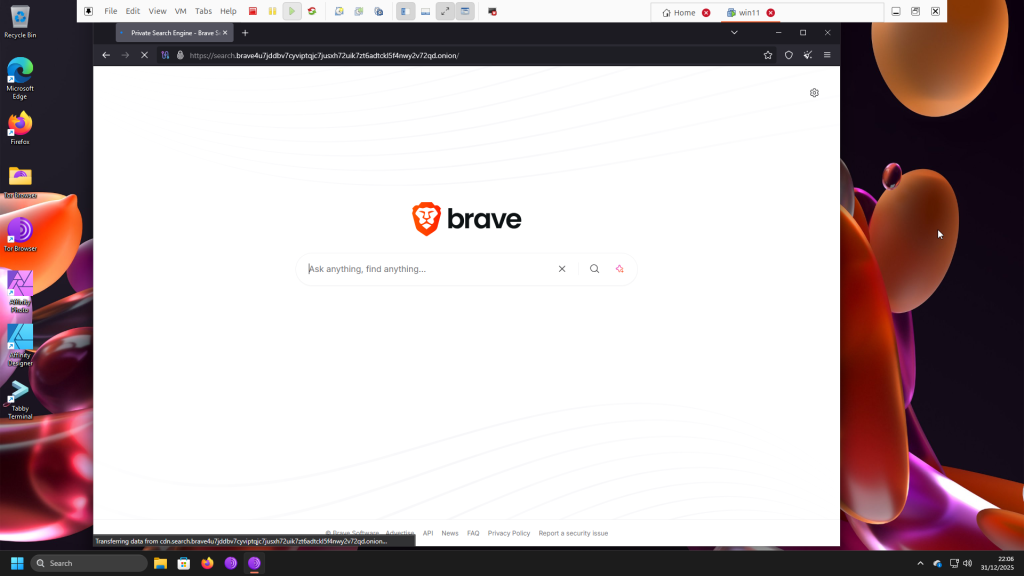
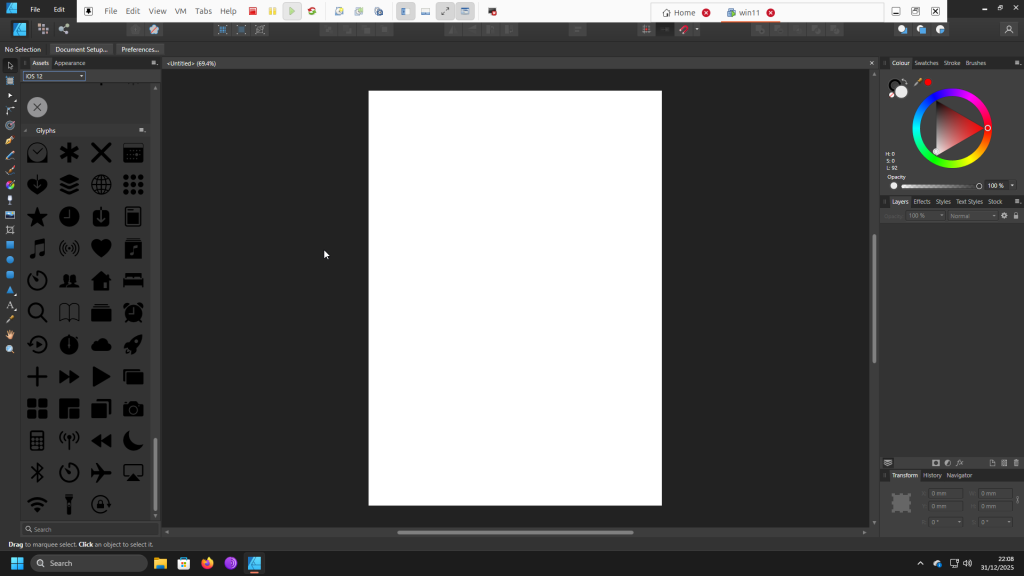
With that context, this post briefly walks through my setup with screenshots: Windows 11 installed in a VMware Workstation Pro virtual machine, using the Tor Browser, with NordVPN enabled on the Ubuntu host during use. This is less of a tutorial and more of a show-and-tell.

Note that this setup does not eliminate all risks associated with downloading malicious software within the Windows 11 VM. It is intended solely for testing and never for illegal activity, which is why I use a legally licensed copy of Windows 11.

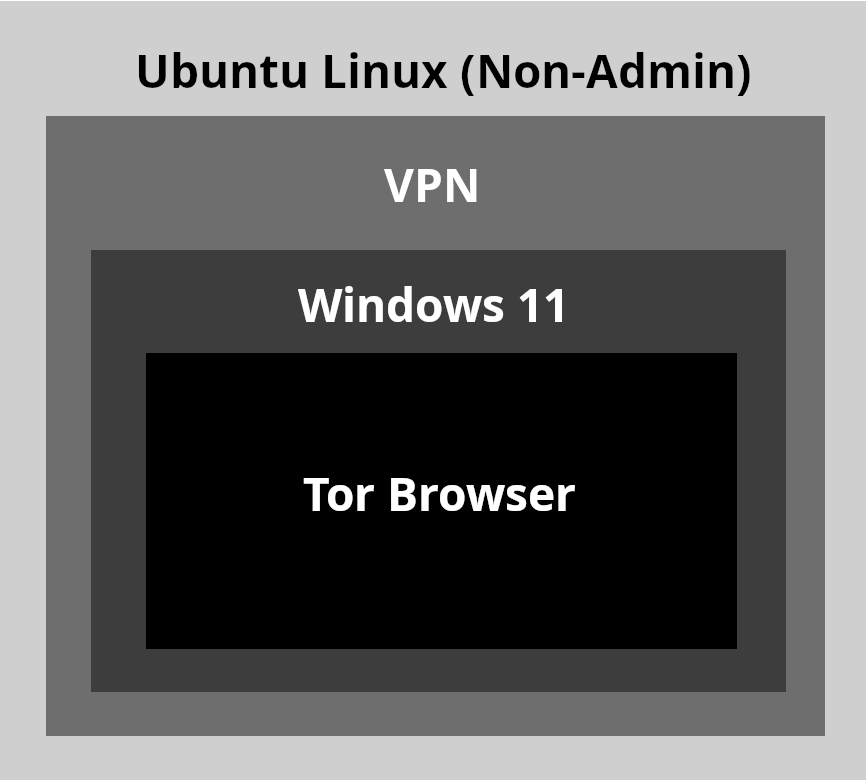
The architecture. Below is an overview of my Windows 11 setup on Ubuntu Linux:

  • Top layer. Non-admin user account on Ubuntu. This reduces risk by preventing the installation of updates, changes to network interfaces, or modifications to systemwide settings
  • Within the non-admin account. NordVPN enabled
  • Guest system. A local account on a legally licensed Windows 11 Pro installation, used exclusively with the Tor Browser while connected through the host OS network. The Tor Browser routes traffic at slower speeds to help obscure identity, while the host VPN encrypts the overall connection. This approach offers the best protection for my use cases

The goal. This setup offers two key benefits:  

  • Stronger security for testing. I use this environment to test system configurations, observe website behavior, and evaluate PowerShell commands that could otherwise expose personal information
  • Compatibility with privacy. It allows me to run Windows applications that still do not function reliably under Wine, such as legally licensed copies of Affinity Photo and Affinity Designer 1 for private design work. These products are no longer available for purchase following Serif Ltd.’s acquisition by Canva Pty Ltd.

VM Specifications. These are the following specifications for VMWare Workstation Pro 25H2 for the best performance for my typical workflows:

  • 7.8GB
  • 4-core processor
  • 80GB
  • NAT Network Adapter
  • Accelerated 3D Graphics Enabled
  • TPM enabled
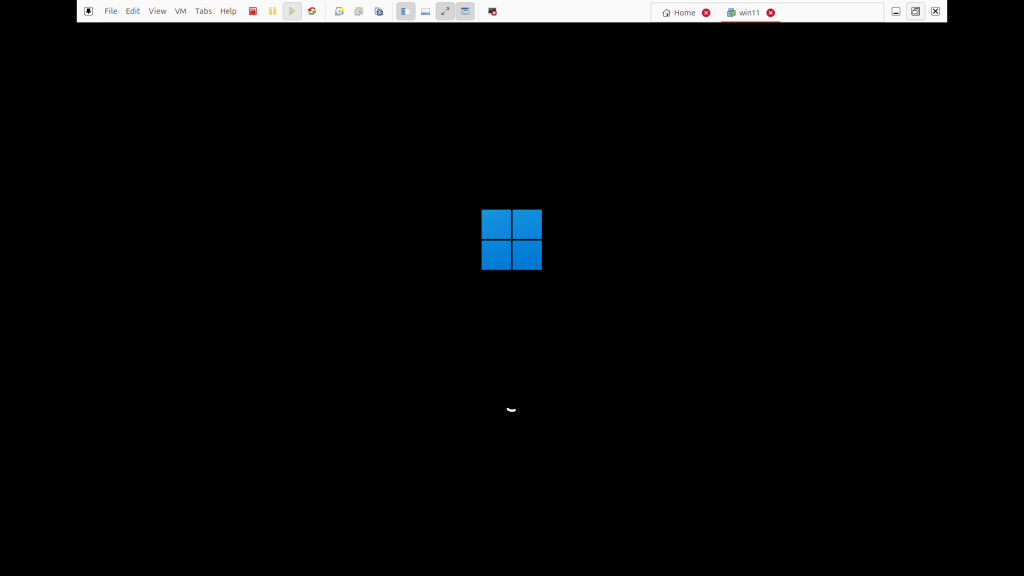
Windows 11 loading screen within VMWare Workstation Pro.
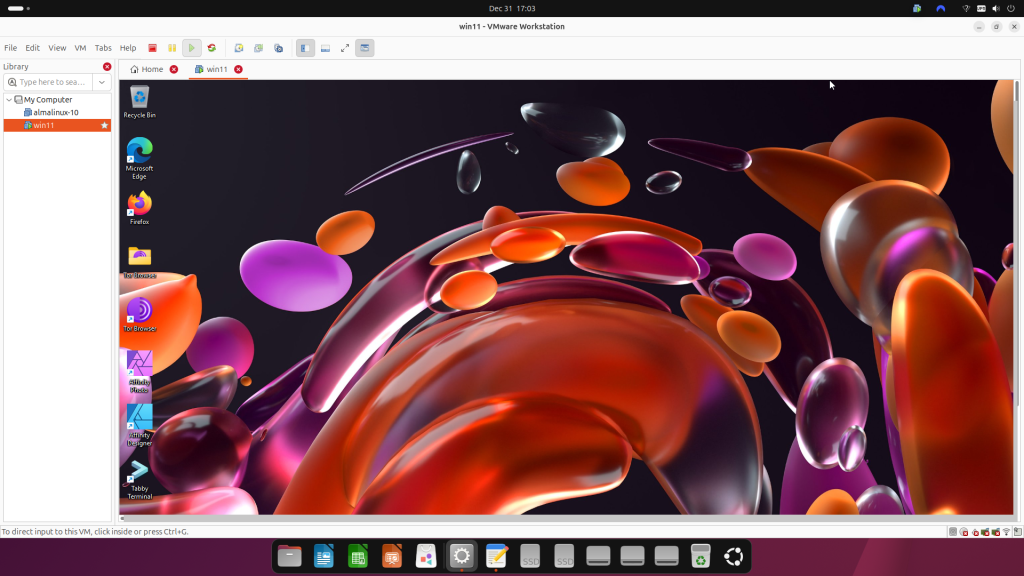
Windows 11 desktop within virtual machine with VPN enabled.
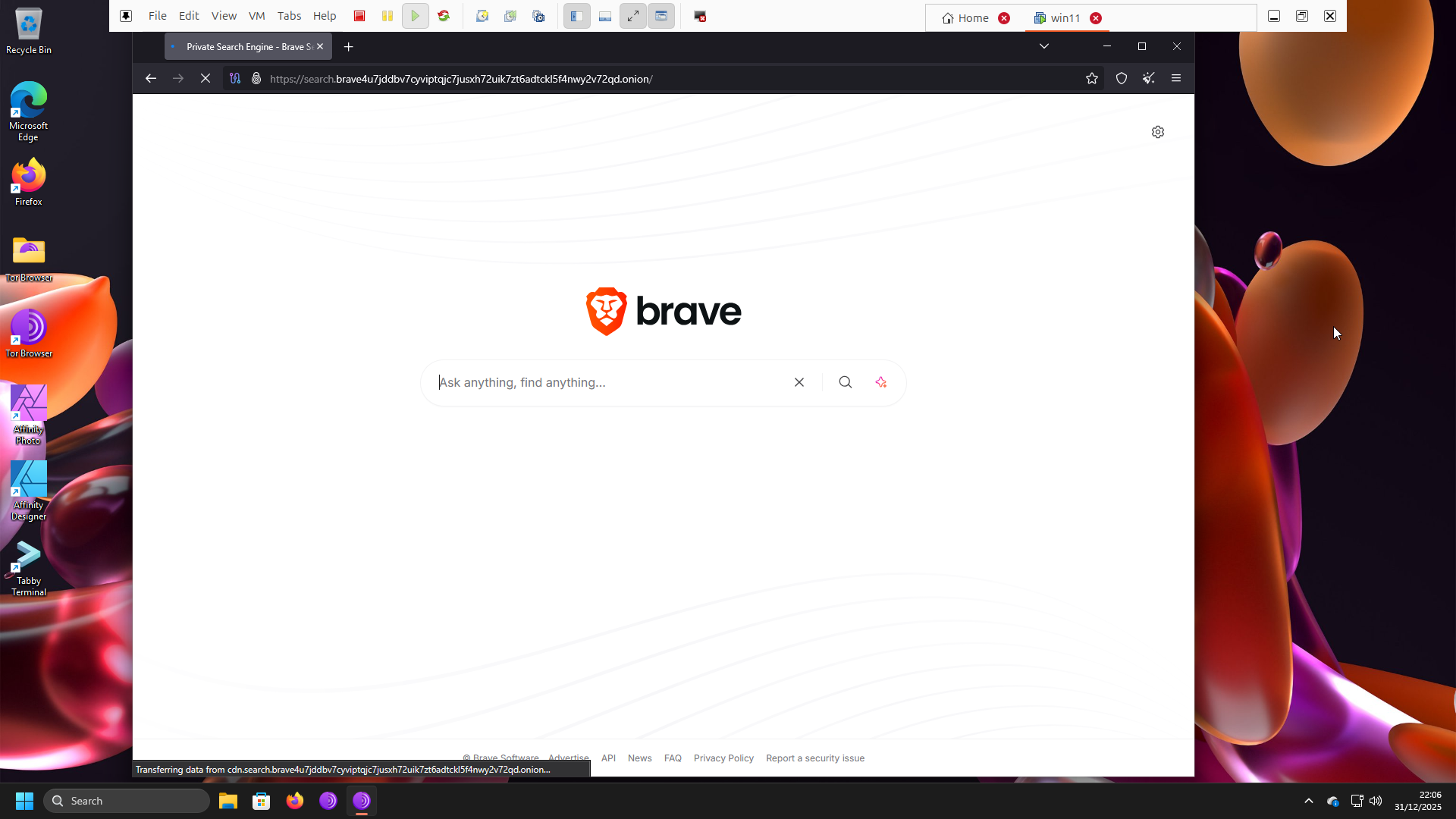
Tor browser opened with onionized Brave search.
Affinity Designer 1 (discontinued) opened with new document, all without needing an online account so the designs are private.

Conclusion. This setup provides a safer playground for experimenting with, and occasionally breaking, Windows 11 while remaining completely separate from Ubuntu.

December 16, 2025No Comments

Hosting ALL your AI locally…in Podman — Greater Security using Containers

Audience. This tutorial assumes you already have a basic understanding of Podman and its architecture, as well as basic networking. It also assumes Podman is already installed within Linux, on bare-metal (my setup), virtual machine, or via Windows Subsystem for Linux (W2L). It is also assumed you already acknowledge the system requirements, risks, and limitations of running AI on your local machine.

Since the release of NetworkChuck’s tutorial on May 3, 2024, Ollama for Windows is now available, but these steps are NOT compatible with Ollama for Windows.

Inspiration. In 2023, I was amazed by what could be created with ChatGPT. Being able to generate a 10-page research paper on Renaissance Art in 5 minutes was mindblowing. However, the real fun in ChatGPT came from entering prompts that generated more humorous but still company appropriate images of people who don’t exist.

Then I realized my curiosity was directing me to using AI in ways that would be incompatible with the policies of my former organization. Many organizations forbid the use of ChatGPT for personal uses, in addition to stating clearly that all data generated on company equipment automatically belongs to the company. I needed a new personal solution, completely disconnected from a professional context, that would both allow me to generate more experimental results without having any of this data be collected by either the employer or OpenAI.

So I was excited to find that NetworkChuck, a popular IT expert on YouTube, uploaded a tutorial on hosting All your AI locally. Even with making a couple tweaks to make it work on FreeBSD, it was exciting to be able to run local Large Language Models (LLMs) on my own PC under my control.

A year later, I took this basic local AI setup and built upon it, with enhanced security and minimized risk, using Podman. As someone just starting to utilize podman in my personal homelabs, I have put together this tutorial after teaching myself.

The goal. On Linux, we’re taking the Ollama + WebUI structure outlined by NetworkChuck and moving it into Podman containers hosted by a non-admin (non-root) user. Additionally, we’ll also have them run at boot as rootless Systemd services so they’re always running. This setup offers these key security advantages:

  • Daemonless. The absence of persistent background Daemons, performing tasks and services without user intervention, means no privileged process is running constantly, therefore less attack surface
  • Rootless. The Podman architecture is rootless by default, meaning impact of attack is decreased without root privileges. This means if an attacker happens to gain access to the non-admin account, it’s not as easy to take over vs a standard host Ollama + WebUI install
  • Control. The Podman setup allows for greater control over security measures with SELinux. Allowing for future hardening tweaks and techniques

With this setup, we avoid the potential security risks with a non-containerized Ollama installed with the official install.sh script from ollama.com.

Requirements. Many users have different preferences for what hardware is best for local AI. It depends on whether you want basic prompting, or advanced image generation with image diffusion. The minimum setup, based on my homelab, is at least 32GB of GDDR4 RAM, 12GB of GDDR6 VRAM, and 8-core x86 CPU. 

Podman is a widely available container platform for most Linux distributions, including ones for W2L.   

Step-By-Step Tutorial

Step 1, Ollama. Within our non-admin account, we’re going to pull the container image for Ollama and run it with this command. The structure for each command defines the name of the container, a flag that calls to replace an existing container with a new one, a flag that tells podman to restart the container if it exists, devices, tcp port to listen on, the container root, and the image:

For AMD:

podman run -d \
  --name ollama \
  --replace \
  --restart=always \
  --device /dev/kfd \
  --device /dev/dri \
  -p 11434:11434  \ 
  -v ollama:/root/.ollama \
  docker.io/ollama/ollama:rocm

For Nvidia:

podman run -d \
  --name ollama \
  --replace \
  --restart=always \
  --device nvidia.com/gpu=all \
  -p 11434:11434 \
  -v ollama:/root/.ollama \
  docker.io/ollama/ollama

For CPU-only:

podman run -d \
  --name ollama \
  --replace \
  --restart=always \
  -e OLLAMA_NO_CUDA=1 \
  -p 11434:11434 \
  -v ollama:/root/.ollama \
  docker.io/ollama/ollama

First, Now let’s verify that the Podman Ollama is working with curl localhost:11434

Should print “Ollama is running” in the console.

Or typing http://localhost:11434 in a web browser on your host machine should print the same message. If Ollama is not working, make sure the port is not being blocked by your firewall settings.

Now we can interact with our Podman Ollama with

podman exec -it ollama /bin/bash and interact as usual.

You will need to already have some LLMs downloaded for the next step to work.

Step 2, WebUI. Now for the easier part, let’s pull the container for WebUI that will automatically connect to the Ollama container. The --network=host flag tell us to run the container on localhost:


podman run -d \
  --name open-webui \
  --restart=always \
  --network=host \   
  -v open-webui:/app/backend/data \
  -e OLLAMA_BASE_URL=http://127.0.0.1:11434 \ 
  ghcr.io/open-webui/open-webui:main

Now curl localhost:8080 should print out the HTML code in the console, or typing the address in the browser should open WebUI!

Now verify that both ollama and open-webui containers are running with podman ps

We should now have the same working WebUI experience, but within pods. Follow the standard process for creating a new Admin account.

Step 3, Systemd. We now have our setup working, but let’s create Systemd services within our rootless account so both containers run at boot. Let’s make our directory:

Mkdir -p ~/.config/systemd/user

Now we generate our service files:

podman generate systemd --new --name ollama --files
podman generate systemd --new --name open-webui --files

Now move systemd files to directory, still within our rootless account:

mv container-ollama.service ~/.config/systemd/user/
mv container-open-webui.service ~/.config/systemd/user/

Finally, enable the systemd services at boot so podman containers are always running:

systemctl --user enable container-ollama.service
systemctl --user enable container-open-webui.service
loginctl enable-linger [nonroot user]

Conclusion. We now have a basic setup with two containers running at boot and completely isolated from the main system. This is designed to only involve the basics of Podman, so this should be a great introductory guide to Podman + AI.

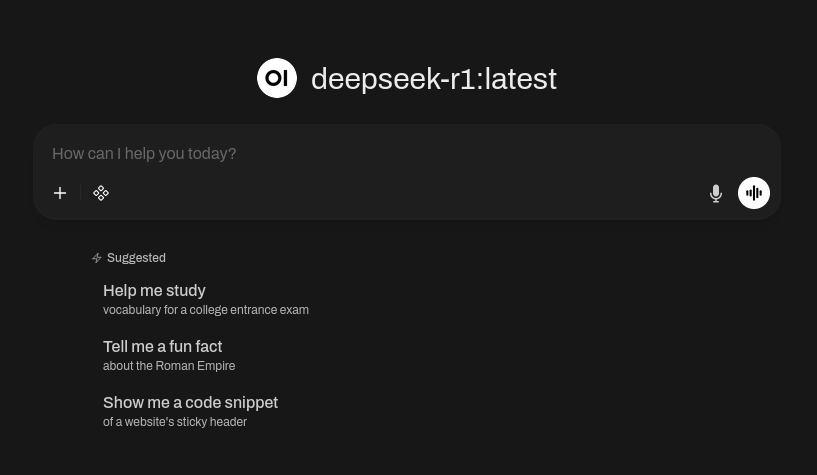
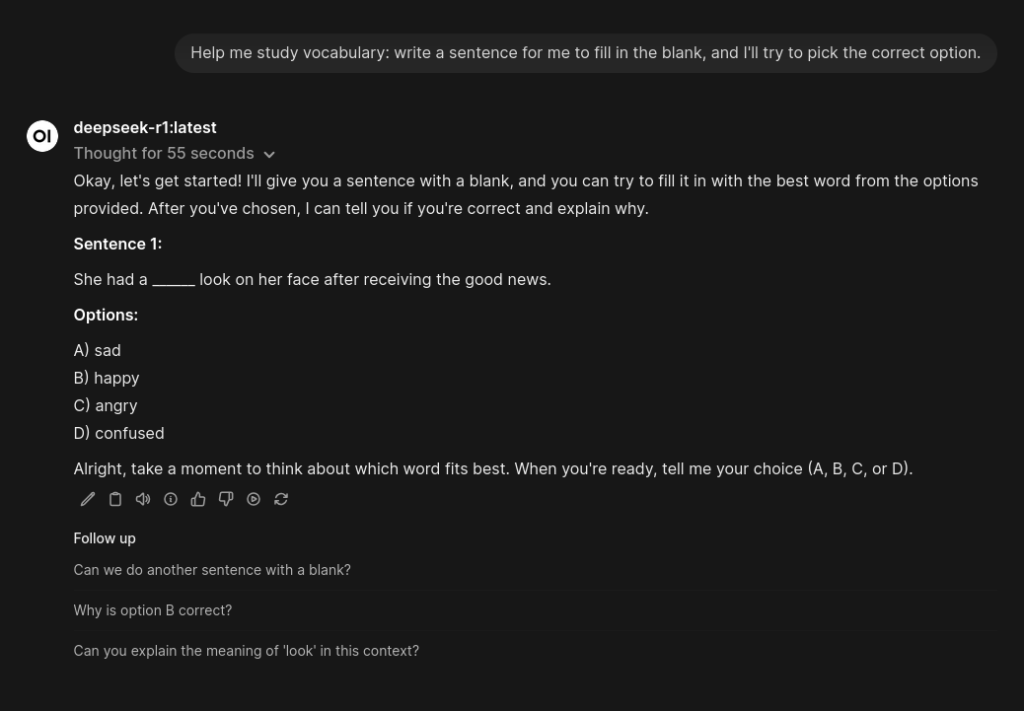
Screenshot showing WebUI homepage running on local Linux PC.
Screenshot showing WebUI homepage running on local Linux PC
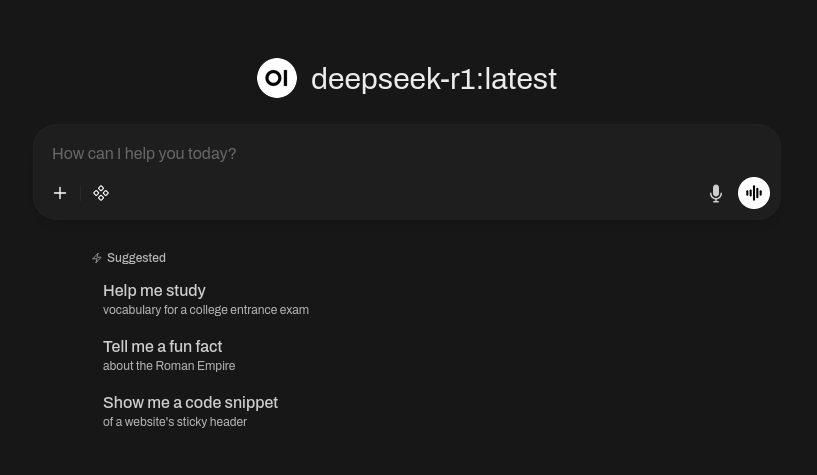
Screenshot showing WebUI in action.
Screenshot showing WebUI in action

October 23, 2025No Comments

Open Source UX — Adapting the Design Process to Collaborative and Transparent Environments

Since June 2025, I’ve been collaborating with designers, engineers, and other stakeholders in the Fedora Project to help bring the migration from Pagure to Forgejo closer to completion, while also basing our practices on community engagement and full transparency. On Dec. 4, 2024, the Fedora Council announced its plan to migrate the Git forge to Forgejo.

First, I want to make it clear that everything I’m discussing here is unique to my time volunteering with the Fedora Project. I’m not claiming that these conclusions apply to every open-source project. Each one varies depending on the scale, governance model, and infrastructure of the team you’re working with.

Reflecting on my experience working on UX for open source so far, I’ve learned that being a UX designer in this space is often far messier than working on commercial products, but just as rewarding. Having the experience of conducting UX in a less structured, more community-driven environment makes the process and outcomes highly transferable to commercial or proprietary settings.

Right off the bat, here are a few realities I’ve had to face in the open-source world:

Democratic and consensus-based governance. Unlike commercial teams, where leadership typically sets policies and direction, open-source projects like Fedora rely on community-elected bodies, both the Fedora Engineering Steering Committee (FESCo) and the Fedora Council, to make decisions based on consensus. Although Fedora is an upstream project for Red Hat Enterprise Linux, Fedora makes its own technical choices. Designers who thrive on clear authority or centralized decision-making may find this environment challenging.

Evolving views on AI participation. Many organizations are still defining where AI fits into creative and technical workflows. Block Inc., for example, has taken a more restrictive stance, stating that all job applicants must “complete all interviews independently and without assistance from others or AI-based tools such as GitHub Copilot or ChatGPT.” Canva, by contrast, promotes a more permissive policy, even publishing an article on Canva.dev titled Yes, You Can Use AI in Our Interviews. In fact, we insist.

Open-source projects, including Fedora, are now facing similar questions about how AI fits into their workflows. In my ongoing case study, I’ve been exploring a more cautious approach, similar to Block’s, by disclosing when and how AI models are used in my contributions. This practice is intended to promote transparency and maintain community trust.

While organizations may look to industry leaders for guidance on AI, I believe the key is translating broad trends into practices that make sense for your own team and context. My goal isn’t to challenge or override existing frameworks, but to model responsible experimentation in open, collaborative environments — an approach that can be adapted to similar models.

Process out in the open. Get used to having many of your stakeholder replies and next-step updates visible to the public. This level of transparency is a radical shift from corporate environments, where conversations and meeting notes typically remain internal.

In Fedora’s case, you can see the progress in real time on the project’s GitLab page and issue tracker. This openness is at the heart of Fedora’s culture. Just as the code is open, so are the updates, discussions, and roadmap.

Commit table overhaul ticket

User personas ticket

UX landing page evamp ticket

Next Steps — Release of Phase 1

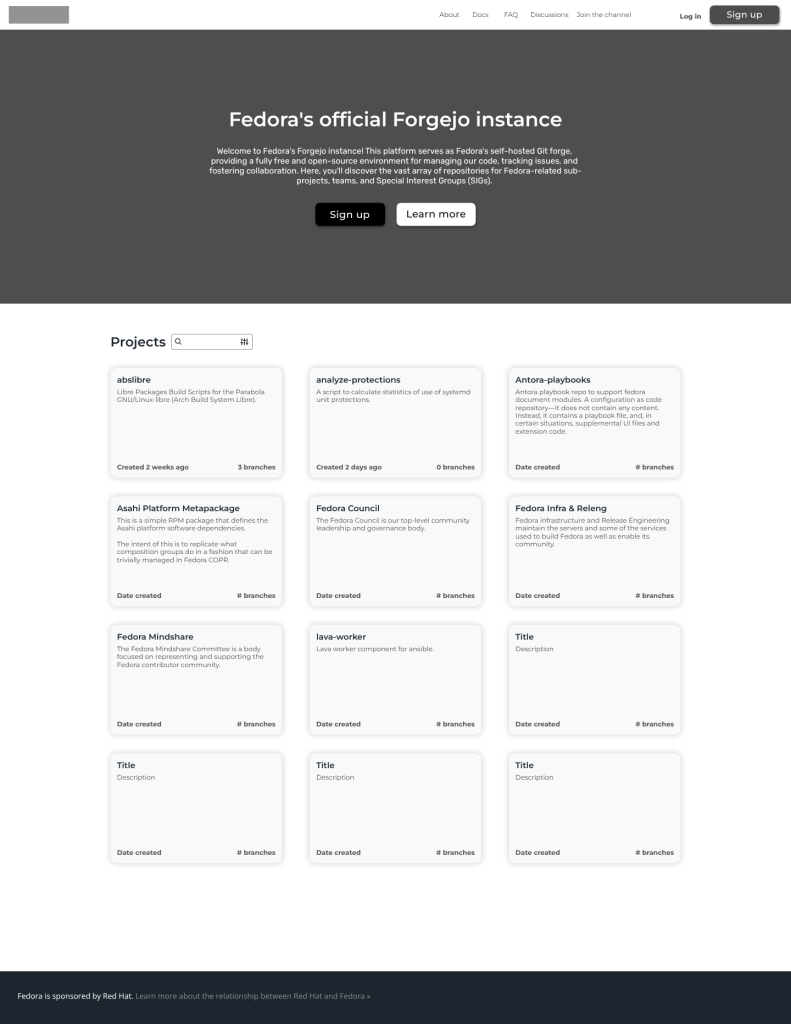
In my case study so far, I mention my early ideation and user personas, which refocused our efforts toward serving the verified needs of our community, rather than focusing on general components of design. This more evidence-based approach then allowed us to agree on a more optimized solution, with repository search as the main focus.

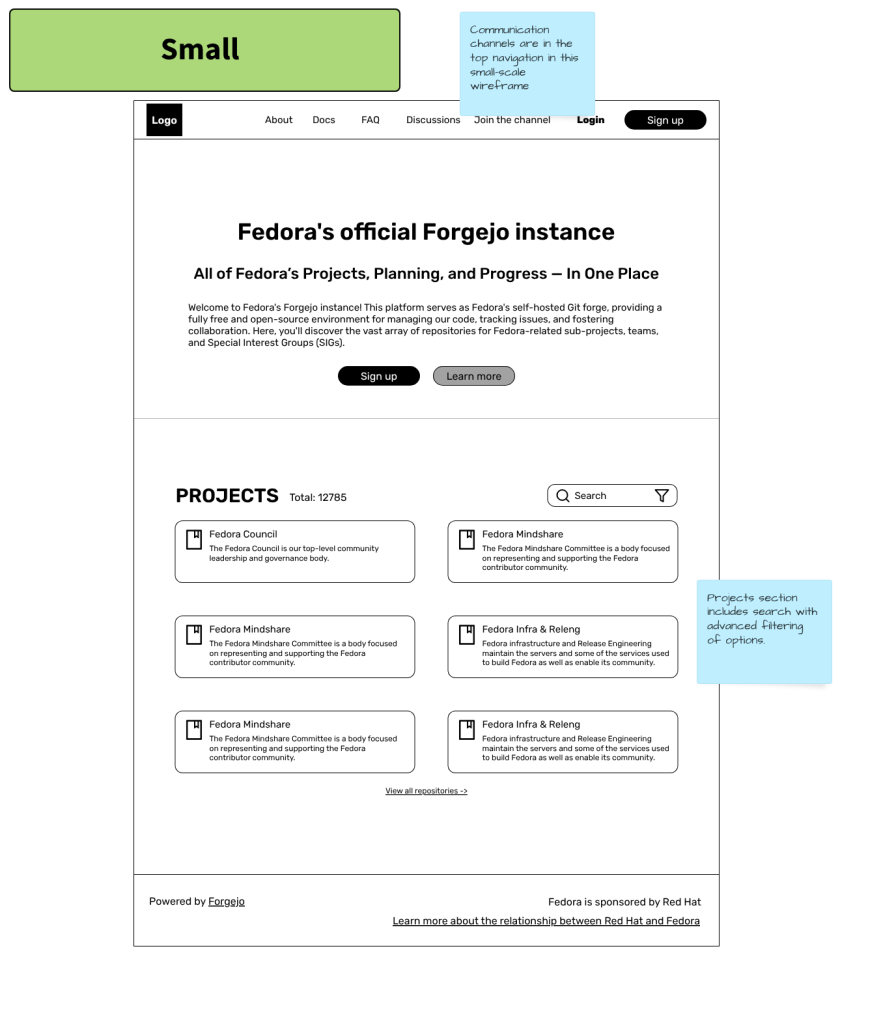
I led the evaluation of existing wireframes and proposed alternative solutions to prioritize the repository search, balancing community needs with development feasibility. This exercise allowed team members to evaluate ideas based on scalability, cost, and alignment with migration goals. The reason for buy-in toward the small solution is that, after speaking with one of the developers, repository search was identified as a must-have.

The small solution wireframe, with repository search, has been handed off for development. At this point, the priority is to develop this new landing page using existing UI components. I am still planning the scope for a working prototype, while user interviews with community members are in the planning stages.

Since I first published my case study, my stance on AI has changed slightly. The main reason is I realized that as long as proprietary models like ChatGPT are only used to proofread and touch up research plans, the risk is lower than using AI tools to generate UX deliverables without human intervention. Using AI tools solely for generating wireframes remains a gray area. For the recently created script for the prototype feedback, I added the line “Assisted by: ChatGPT4.”

Overall, it has been a more enriching experience to continue helping with the large-scale initiative to migrate to Forgejo, and it is a process I am happy to share as a complement to my NDA-protected work done for commercial enterprises. Thanks for reading.

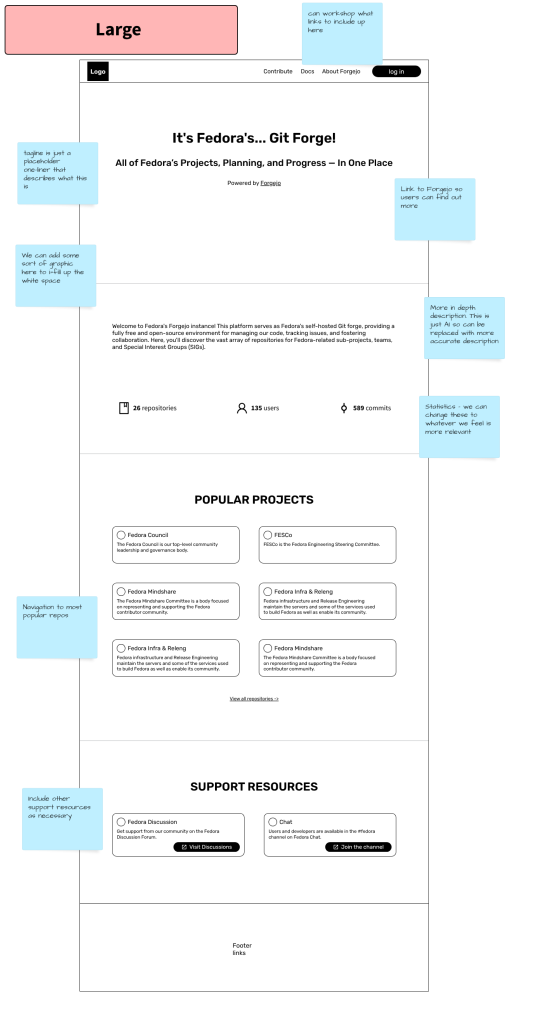
Large size wireframe for Fedora's Git Forge landing page.
Large solution originally developed for the landing page
Small size wireframe for Fedora's Git Forge landing page.
New smaller solution proposed and accepted as the new direction
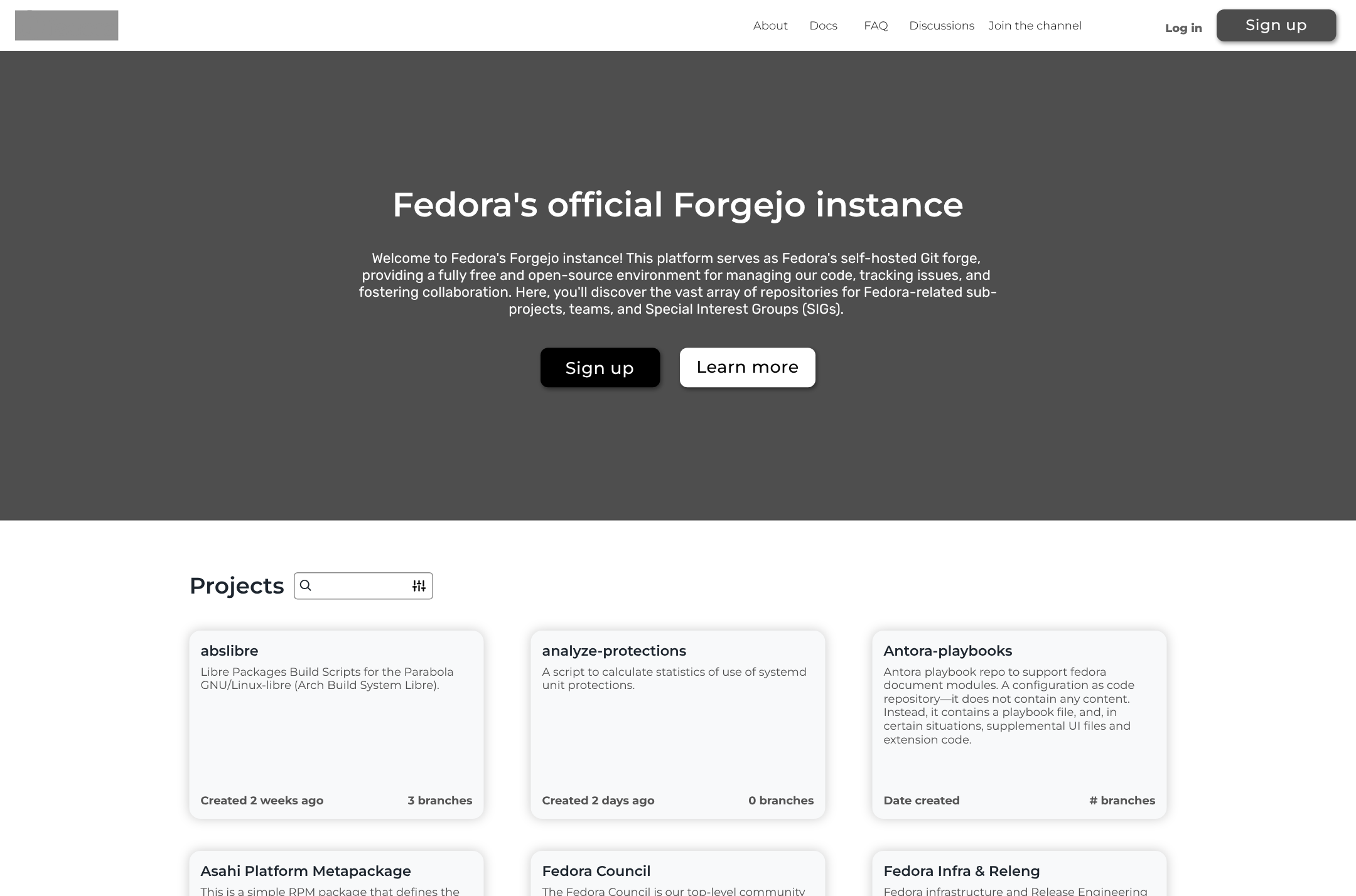
Final wireframe for deployment.
Final wireframe for deployment

Copyright © Nathan Nasby