Why Windows 11? Let me start by stating an opinion few people expect from an avid Linux user: I actually like Windows 11 as a desktop operating system.
While I have several issues with the OS, it also includes genuinely strong features such as File Explorer tabs, Focus Sessions, and Snap Layouts. These are areas where Linux desktop environments could reasonably take inspiration. This does not mean I am replacing my Linux desktops with Windows, but I am willing to acknowledge when a competing platform gets things right.
Additionally, as much as I value Linux and the open-source movement, many businesses still rely entirely on Microsoft-based infrastructure. It would be unrealistic to suggest a near future in which most home office systems run Linux instead of Windows.
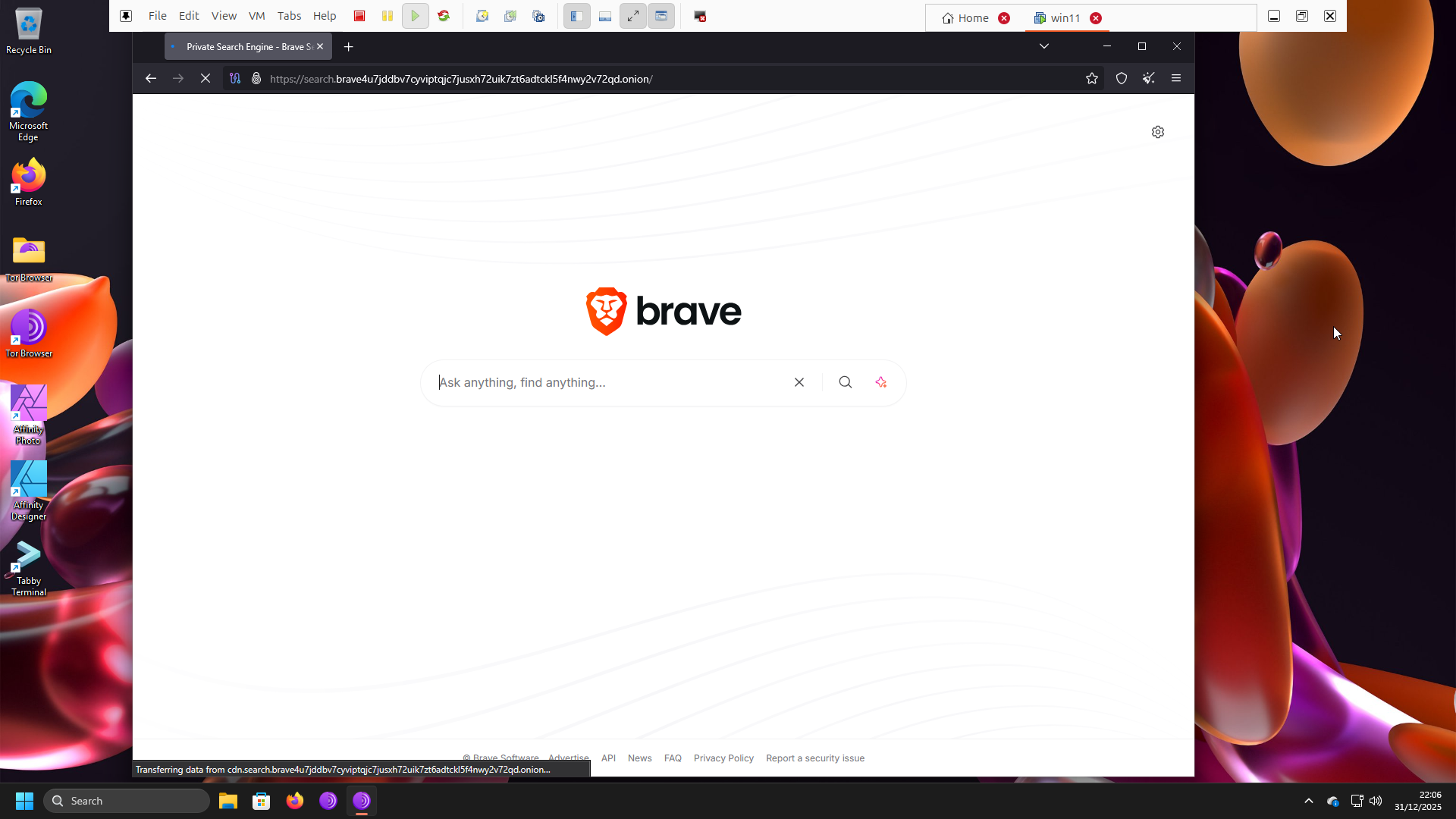
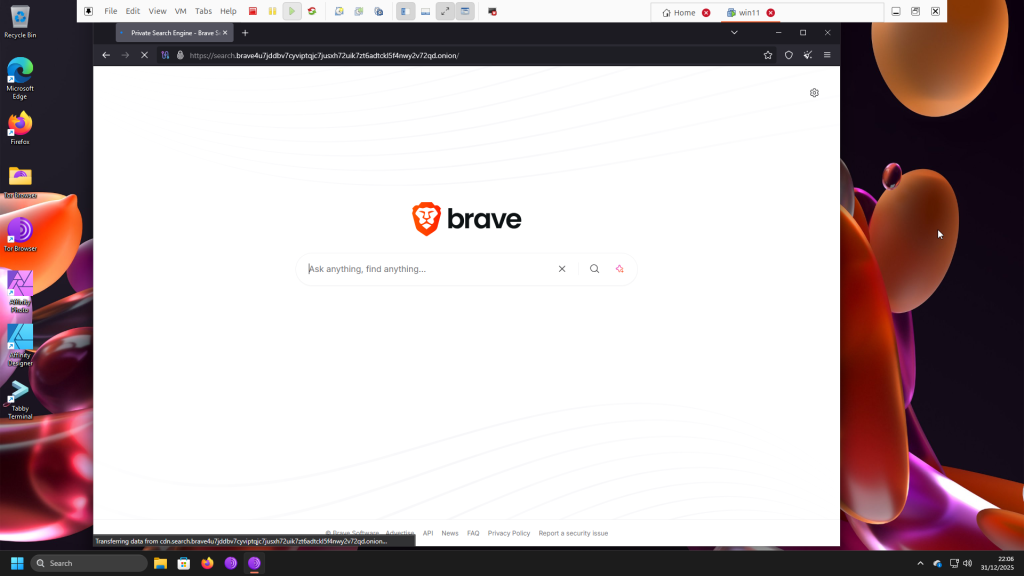
With that context, this post briefly walks through my setup with screenshots: Windows 11 installed in a VMware Workstation Pro virtual machine, using the Tor Browser, with NordVPN enabled on the Ubuntu host during use. This is less of a tutorial and more of a show-and-tell.
Note that this setup does not eliminate all risks associated with downloading malicious software within the Windows 11 VM. It is intended solely for testing and never for illegal activity, which is why I use a legally licensed copy of Windows 11.
The architecture. Below is an overview of my Windows 11 setup on Ubuntu Linux:
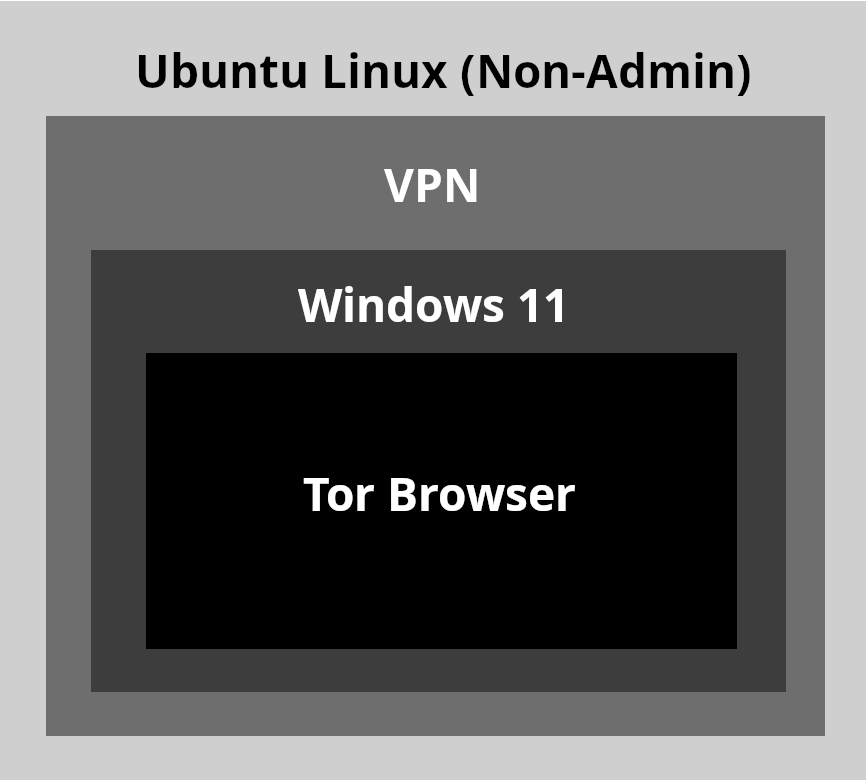
- Top layer. Non-admin user account on Ubuntu. This reduces risk by preventing the installation of updates, changes to network interfaces, or modifications to systemwide settings
- Within the non-admin account. NordVPN enabled
- Guest system. A local account on a legally licensed Windows 11 Pro installation, used exclusively with the Tor Browser while connected through the host OS network. The Tor Browser routes traffic at slower speeds to help obscure identity, while the host VPN encrypts the overall connection. This approach offers the best protection for my use cases
The goal. This setup offers two key benefits:
- Stronger security for testing. I use this environment to test system configurations, observe website behavior, and evaluate PowerShell commands that could otherwise expose personal information
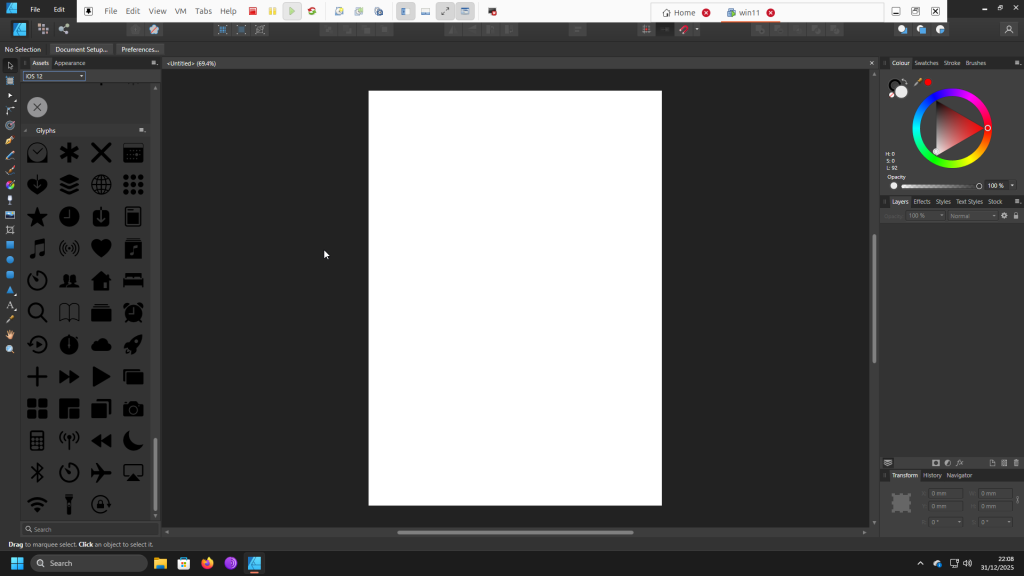
- Compatibility with privacy. It allows me to run Windows applications that still do not function reliably under Wine, such as legally licensed copies of Affinity Photo and Affinity Designer 1 for private design work. These products are no longer available for purchase following Serif Ltd.’s acquisition by Canva Pty Ltd.
VM Specifications. These are the following specifications for VMWare Workstation Pro 25H2 for the best performance for my typical workflows:
- 7.8GB
- 4-core processor
- 80GB
- NAT Network Adapter
- Accelerated 3D Graphics Enabled
- TPM enabled
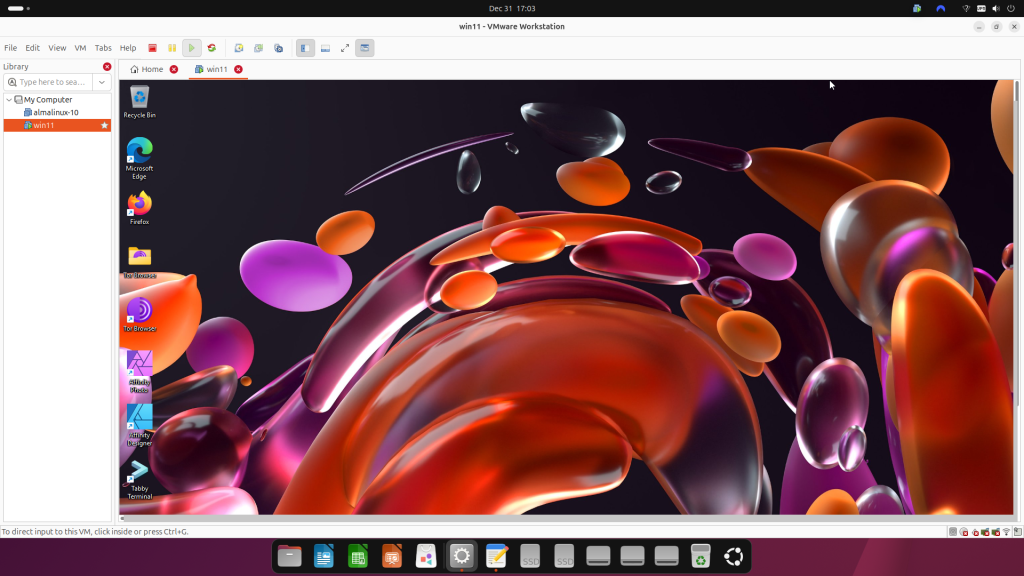
Conclusion. This setup provides a safer playground for experimenting with, and occasionally breaking, Windows 11 while remaining completely separate from Ubuntu.
No Comments.