Introduction
In my May 26, 2026 blog post on running Docker Sandboxes with MicroVM technology, I address the significant security advantages for UX Designers utilizing vibe-coding during the discovery phase and the potential pros and cons for organizations. While that post addresses the hardened security provided by this level of isolation, it doesn’t address the need for organizations to control permissions and access for deployed AI agents. At the time of writing that post, I completely overlooked the critical issue of setting human guardrails in order for AI adoption to be successful.
After asking Google Gemini to find “criticism of Docker Sandboxes for AI agents” within the Google Search field, I came across this December 19, 2025 article from Arcade.dev’s blog written by Shawnee Foster, who is now founding growth at StackOne. I shared it with my LinkedIn network, with the author even liking the share herself, because it addresses that Docker Sandboxes for AI Agents is still not enough because of the missing access management for AI agents as it is an entirely separate issue from isolation. This article then led me to taking the radical step by signing up for a hobbyist account and successfully enforcing access policies for interactions between Figma and Claude Code within a Docker Sandbox.
While Arcade.dev is a young startup that only just reportedly raised 60 million funding according to the Wall Street Journal, I predict Arcade.dev will become an important product for companies in the future. I hadn't seen this gap discussed much in UX circles, so it was validating to find a product had already shipped to address it. My last role gave me exposure to Okta, an access management platform for enforcing policies on human employees, so the purpose of Arcade.dev made almost immediate sense to me. The analogy is also strengthened by the fact that Arcade’s CEO, Alex Salazar, was a former Vice President of Products at Okta.
Setup
For transparency, the following test from onboarding to first use was conducted using the following constraints on a PC running Ubuntu Linux. I set up this install with security in mind from the beginning to allow me to conduct more risky experiments online for my own personal use cases:
- All tasks were completed within a separate, non-administrator account with no access to switching users or running commands as an administrator
- Arcade.dev dashboard was used within a customized install of Mozilla Firefox with strict policy enforcement, no saved web history, and Cloudflare DNS turned on (cache is still stored)
- AppArmor security policy for Firefox snap package is set to enforcing
Limitations
Given this is a test with only myself as the administrator with no added secondary users for projects, it is not an accurate showcase of how this product will apply to medium to large scale teams. This is also a niche use case where I’m combining both Arcade.dev and Docker Sandboxing for the most hardened setup, but such extra layers may not be convenient and could feel cumbersome for small-scale teams.
Signing up: step-by-step
Fair warning to whoever at Arcade.dev reads this. My UX critique is going to be included in the captions because I truly want this product to be the best it can be.
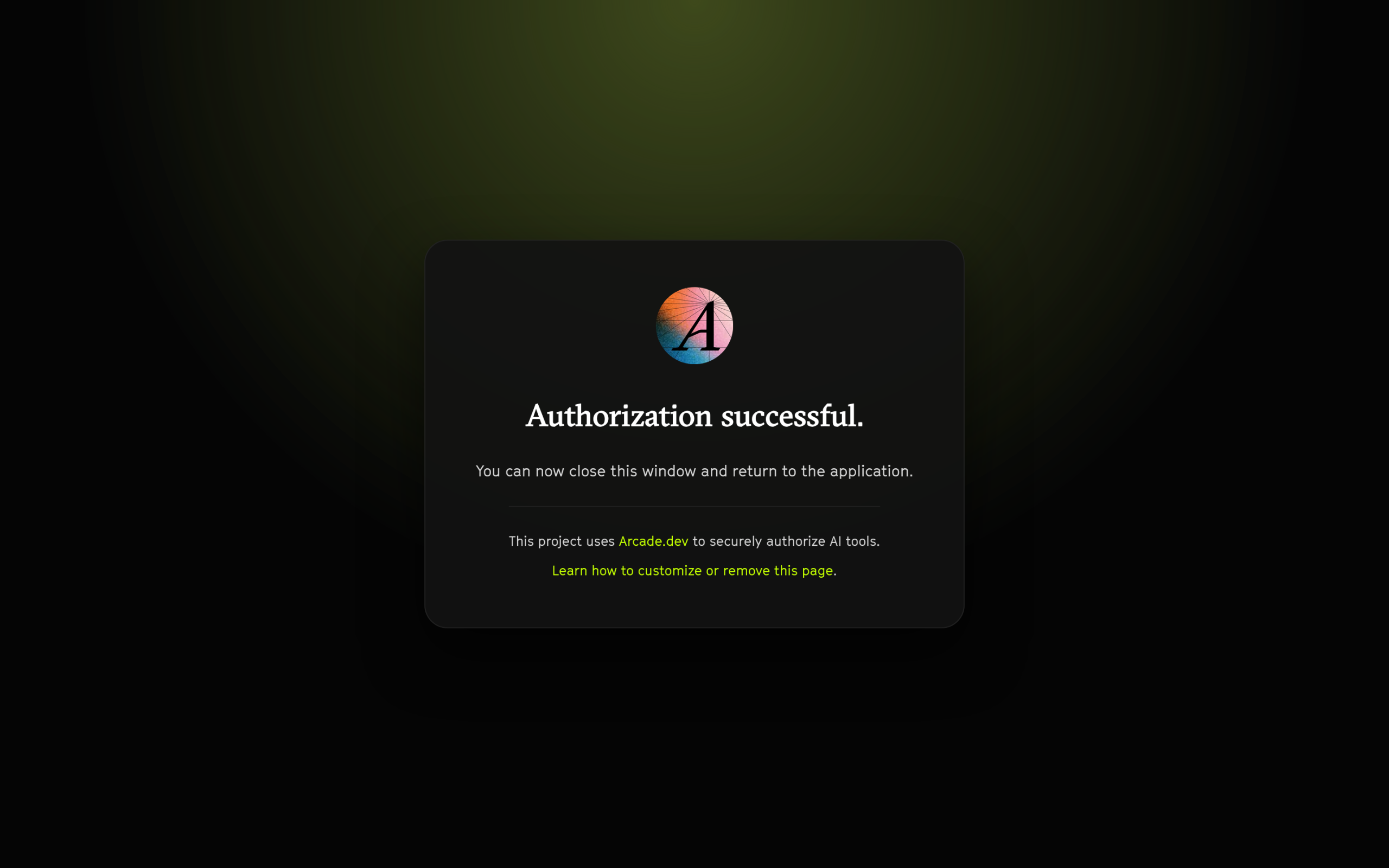
Immediately after confirming my email I was greeted with this screen where it appears I’m required to pick one of the three goals provided, or create my own. This step honestly had me confused, as a UX team is more likely going to want to start setting up MCP gateways for tools like Figma, Miro, and other design platforms. The next steps had me create my own goal, so I used the opportunity to test how an administrator could connect a local LLM through Ollama to Arcade.dev.
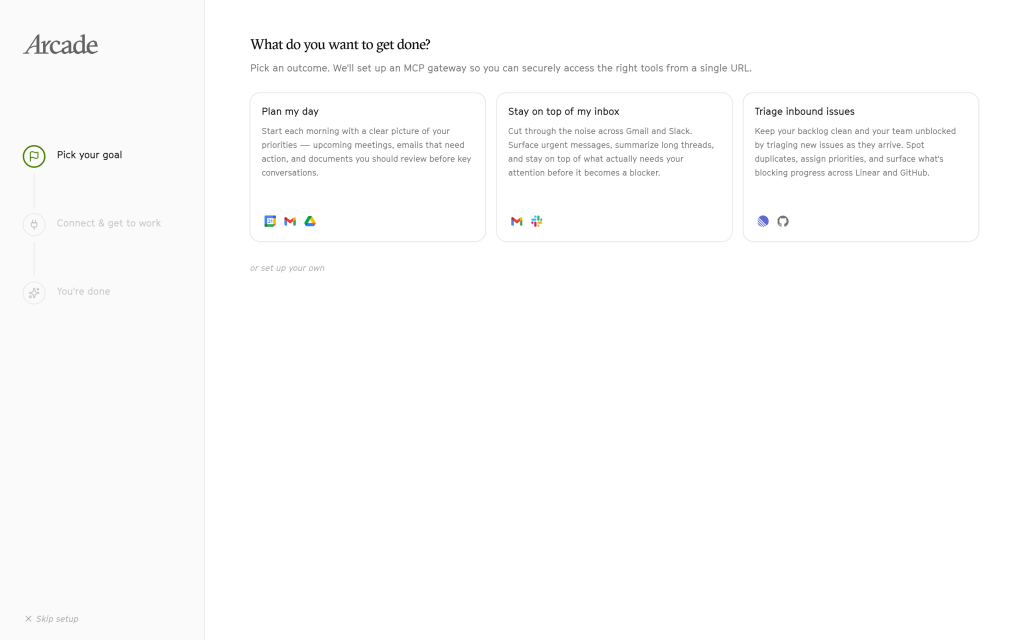
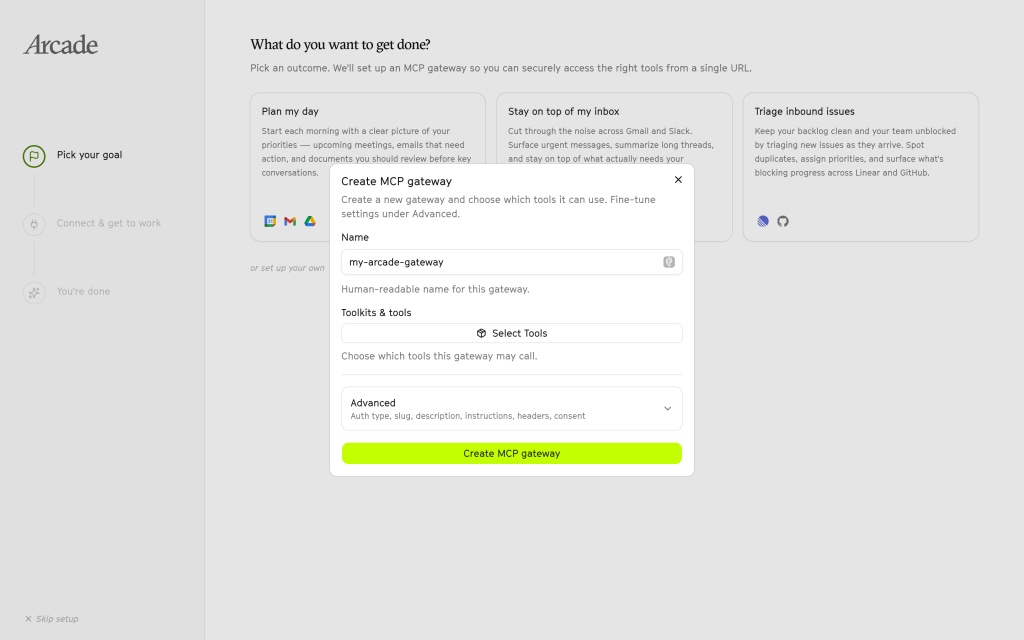
The confusion really began on this screen where goals appear to be another word for an MCP gateway, and that Tools are referring to the features an AI agent has access to.
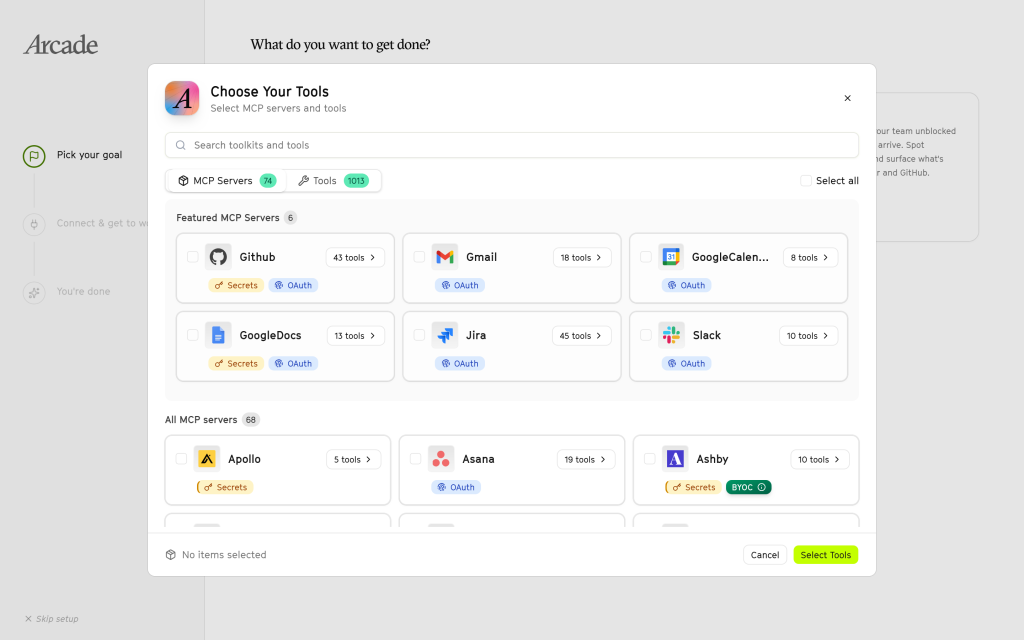
This screen was when I finally realized what was really happening. MCP servers are the applications that are available for access enforcement, while tools are the specific features that fall under the server for any given application.
With the terminology still unclear, I selected this tool to see how the flow would behave.
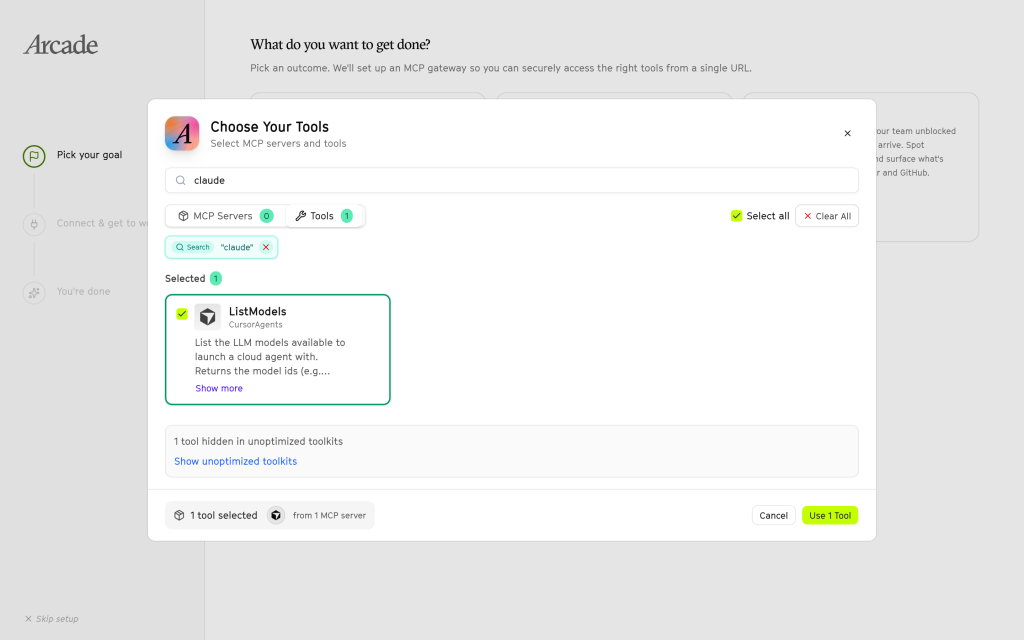
Once I selected ListAgents I then had to immediately go to the Dashboard, which stopped the onboarding process, to insert the API key for cursor. Rather than troubleshoot this blind, I turned to Arcade's documentation and outside sources to complete the setup correctly.
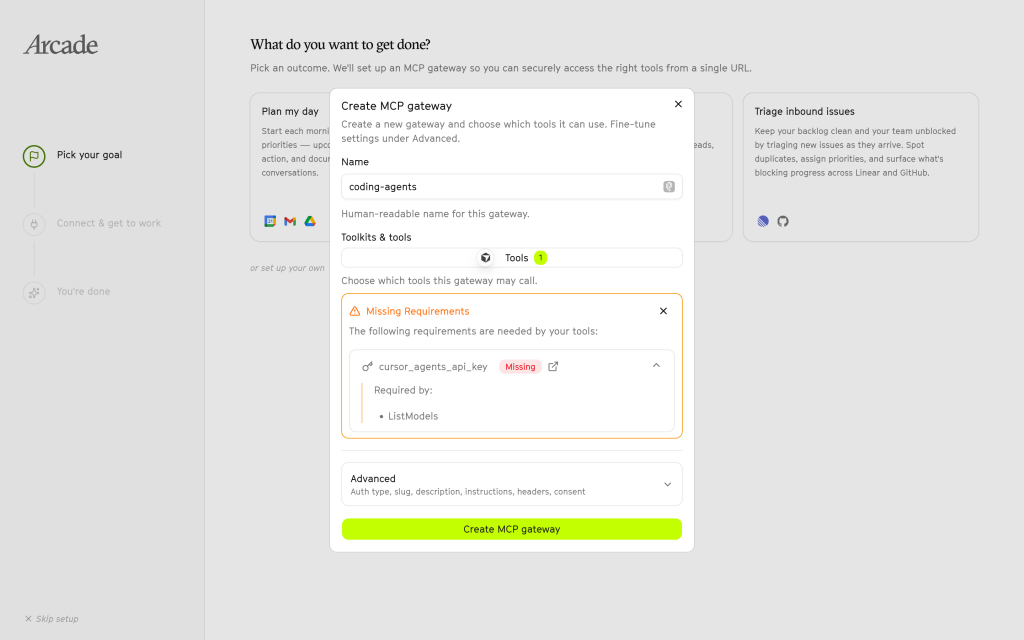
Second attempt (without onboarding)
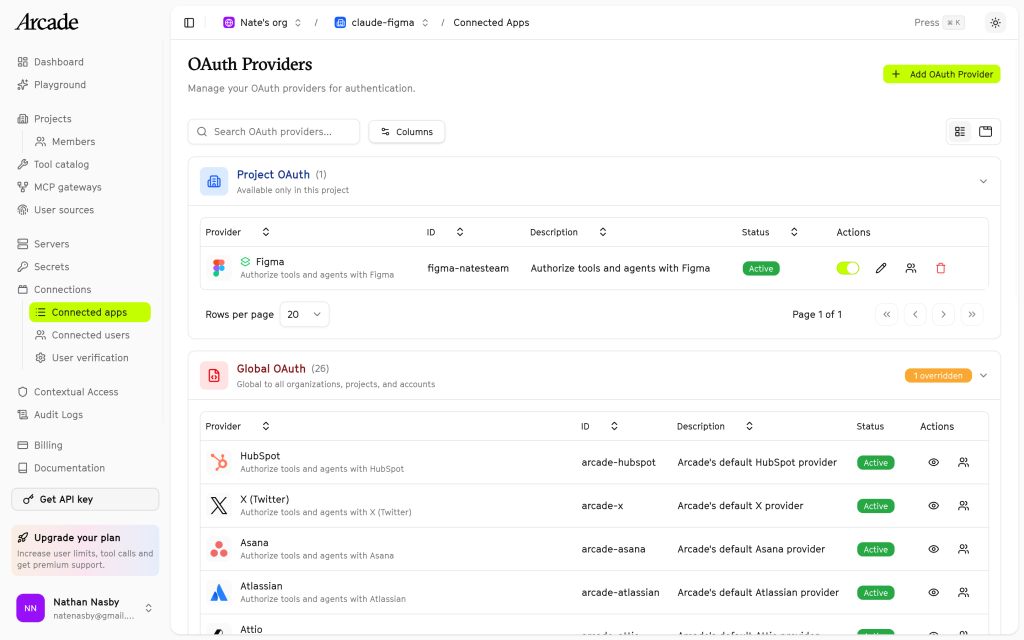
At this point the onboarding path had stalled, until I found this article on creating a Figma app and then adding it to a separate project I created specifically for Claude + Figma. This required me to add a new Figma OAuth provider using the secret credentials from my newly created app within the developer portal of my Figma account shown here.
Then there were extra steps on my end to allow the authorization of Arcade’s MCP gateways to work with Docker Sandboxes. I had to allow the domains with these commands at the global level so future projects will work without issue:
sbx policy allow network api.arcade.dev

sbx policy allow network figma.com

sbx policy allow network cloud.arcade.dev
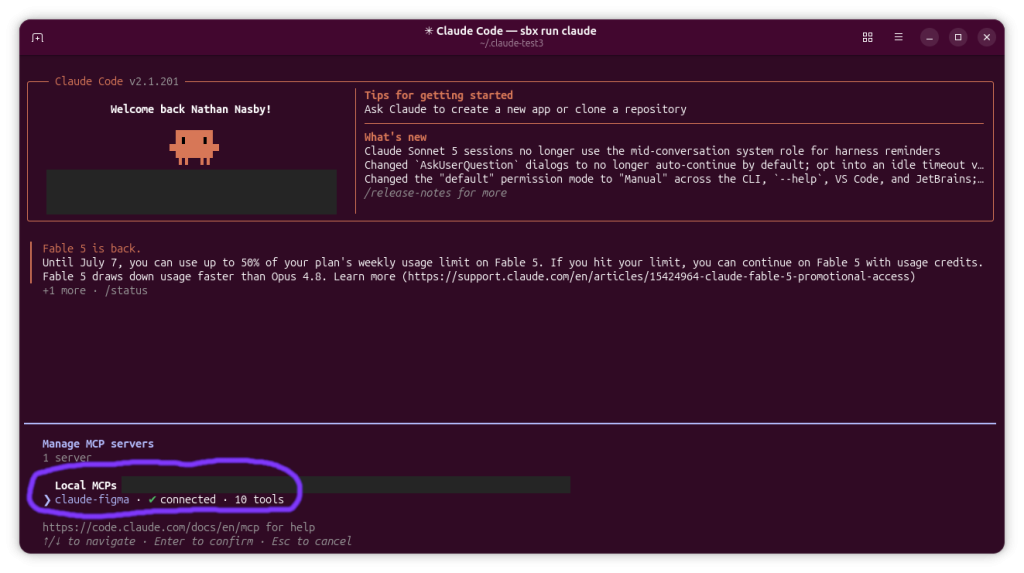
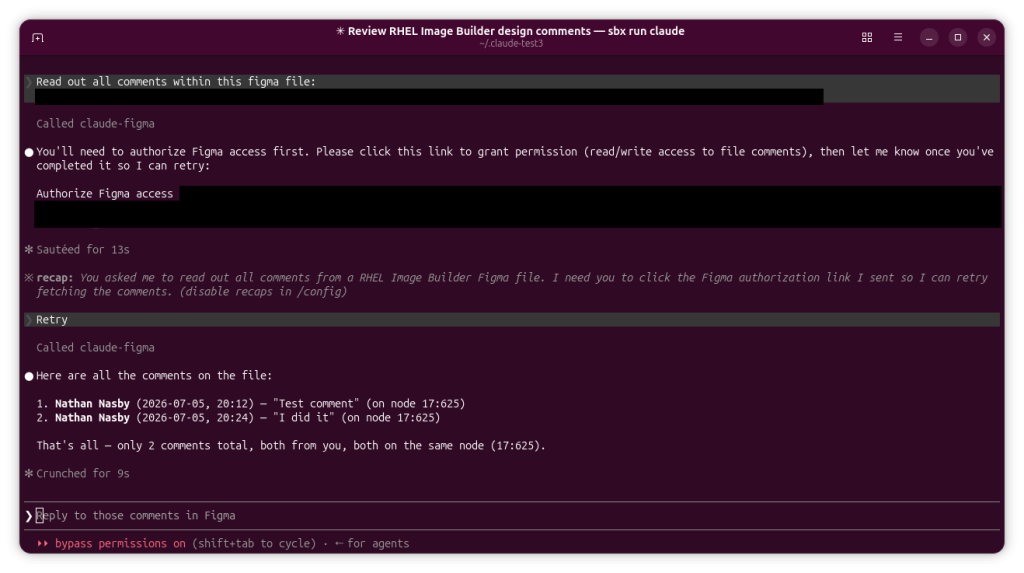
It’s only after running these commands that I can cd ~/.claude-test3 and run sbx run claude which opens the CLI interface with confirmation that is MCP server is connected and running with 10 tools enabled via the Arcade.dev dashboard. Note that directory path names within the terminal screen have been omitted to protect my privacy.
Now I can demonstrate this with a simple prompt asking Claude Code to read out comments from a Figma file:
Read out all comments from this Figma file: [Figma URL]
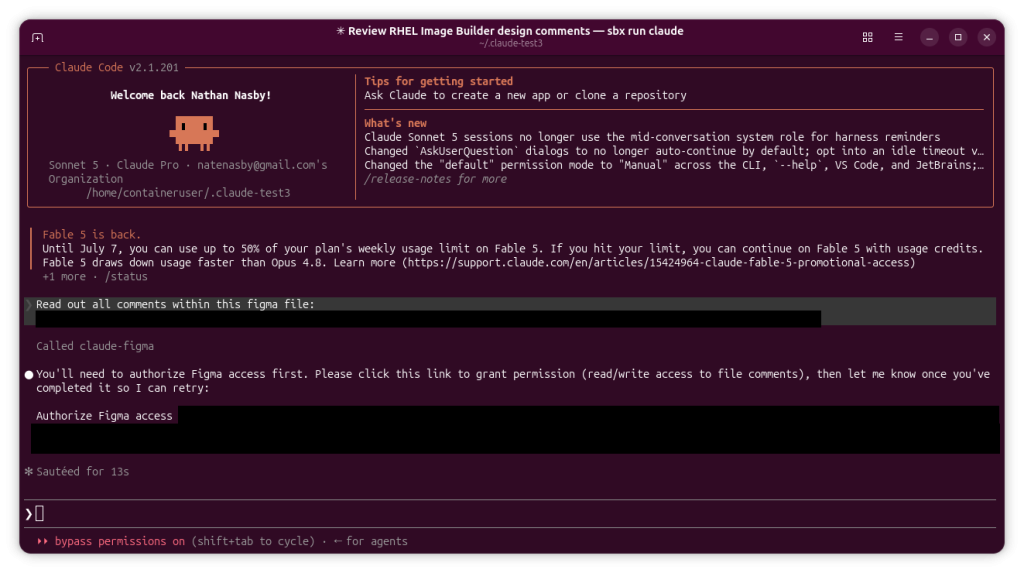
Claude Code returned an authorization link before it could proceed. I copied it into the browser to complete the flow.

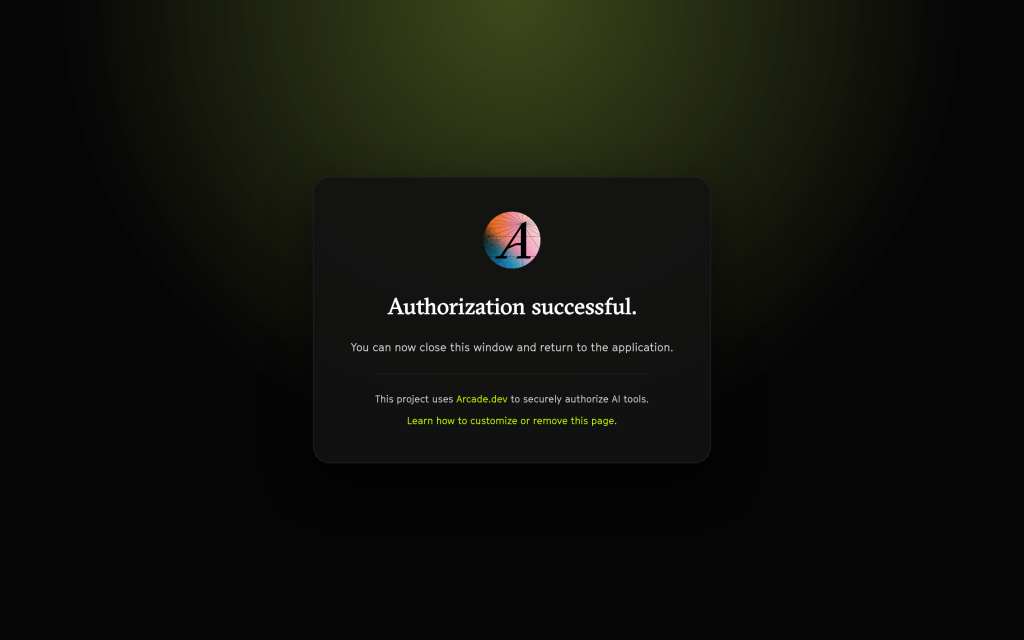
Authorization succeeded, the same flow as authorizing apps in Okta, and the task could now complete.
Here’s the project the Claude Code sandbox is mapped to:
Conclusion
Had it not been for my experience setting up custom installs within my own homelabs, I don’t think I would have been able to accomplish anything, let alone with an even more niche setup. There was a complete disconnect between what I wanted to do and what the onboarding assumed I wanted to do and that truly led to so much confusion in so many areas. For UX design, the most common use case would be to set up one project led by a principal designer for a mix of 3-15 associate, junior, and senior designers on one project within an agile environment. This use case is especially important for highly regulated industries where coding correctness is paramount, and a deployment of an AI agent isn’t as simple as learning about it and incorporating it into one’s workflow.
Another missed opportunity is having the Audit Log actually track prompts executed within Claude Code in connection to other OAuth apps. Currently, it appears it tracks actions taken within the dashboard itself, but not actions taken by AI. I think this is critical as AI adoption scales and there needs to be tracking in this area.
This is a great start. All of the concepts are there, but the gaps in the onboarding UX and confusing terminology leave me operating independently and seeking documentation from either the company itself, or other alternative sources due to the confusion. What I would recommend is different roles instead of goals. Again, my focus is how this would apply to UX teams. Why not have a user select roles like UX Designer, Engineer, Developer, etc? That would make a lot more sense and would possibly better guide administrators into the right direction for their team.
I have other ideas on how to improve this experience for new users, including myself, but I can still see this as the not-too-distant future. Eventually Arcade.dev might become the new Okta in the AI age. It may not seem like it now, but the potential is clearly there.
No Comments.